
Direct Class Sync
Connect your Google account and instantly see all your classes, assignments, and student submissions. No exports or downloads required.
Trusted by teachers at schools using Google Classroom
Purpose-built tools that make AI grading feel native to your Google Classroom workflow.
Connect your Google account and instantly see all your classes, assignments, and student submissions. No exports or downloads required.
After AI generates grades and feedback, push everything back to Google Classroom with a single click. Grades appear in the gradebook automatically.
Grade short-answer and essay questions on Google Forms quizzes. AI analyzes responses against your rubric and syncs scores to the gradebook.
GradeWithAI reads Google Docs, Slides, PDFs, and images attached to submissions. Even handwritten work uploaded as photos gets graded accurately.
Stay inside the workflow you already use while AI handles the first pass of scoring, comments, and return-ready feedback. Teachers keep their rubric, keep their judgment, and spend far less time grading from scratch.

See how assignments move from synced submissions to reviewed feedback and returned grades in one workflow.
Phase 1
Pull
Your Google Classroom assignments appear in GradeWithAI the moment students submit work. No manual imports or file downloads - just open the platform and see what's ready to grade.
Filter by class, due date, or submission status so you can tackle what matters first. Late submissions sync automatically.

Phase 2
Rubric
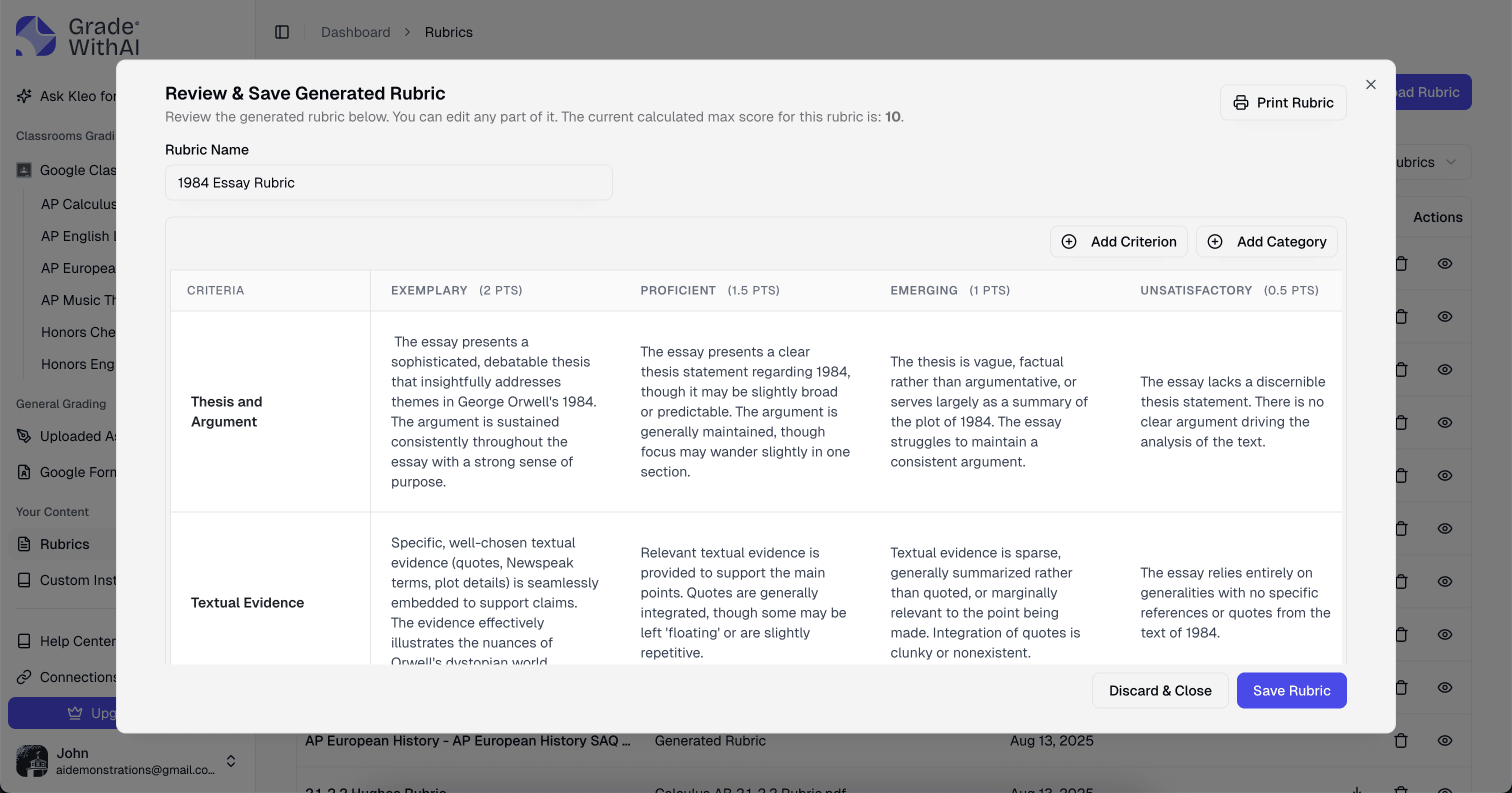
Paste your instructions to generate a rubric in seconds, or upload your existing rubric. Edit criteria and points to match your expectations.
Save rubrics to your library and reuse them across assignments for consistent grading.
Phase 3
Review
AI grades every submission based on your rubric and generates personalized feedback for each student. You see scores, comments, and highlighted criteria in a clean review interface.
Adjust any score or comment with one click. AI handles the first pass while you keep final judgment.

Phase 4
Return
Click "Return to Classroom" and scores populate your gradebook automatically. Students receive feedback as private comments in the same place they submitted their work.
No CSV exports or spreadsheet cleanup. Grades sync back where students already expect to see them.
Phase 5
Track
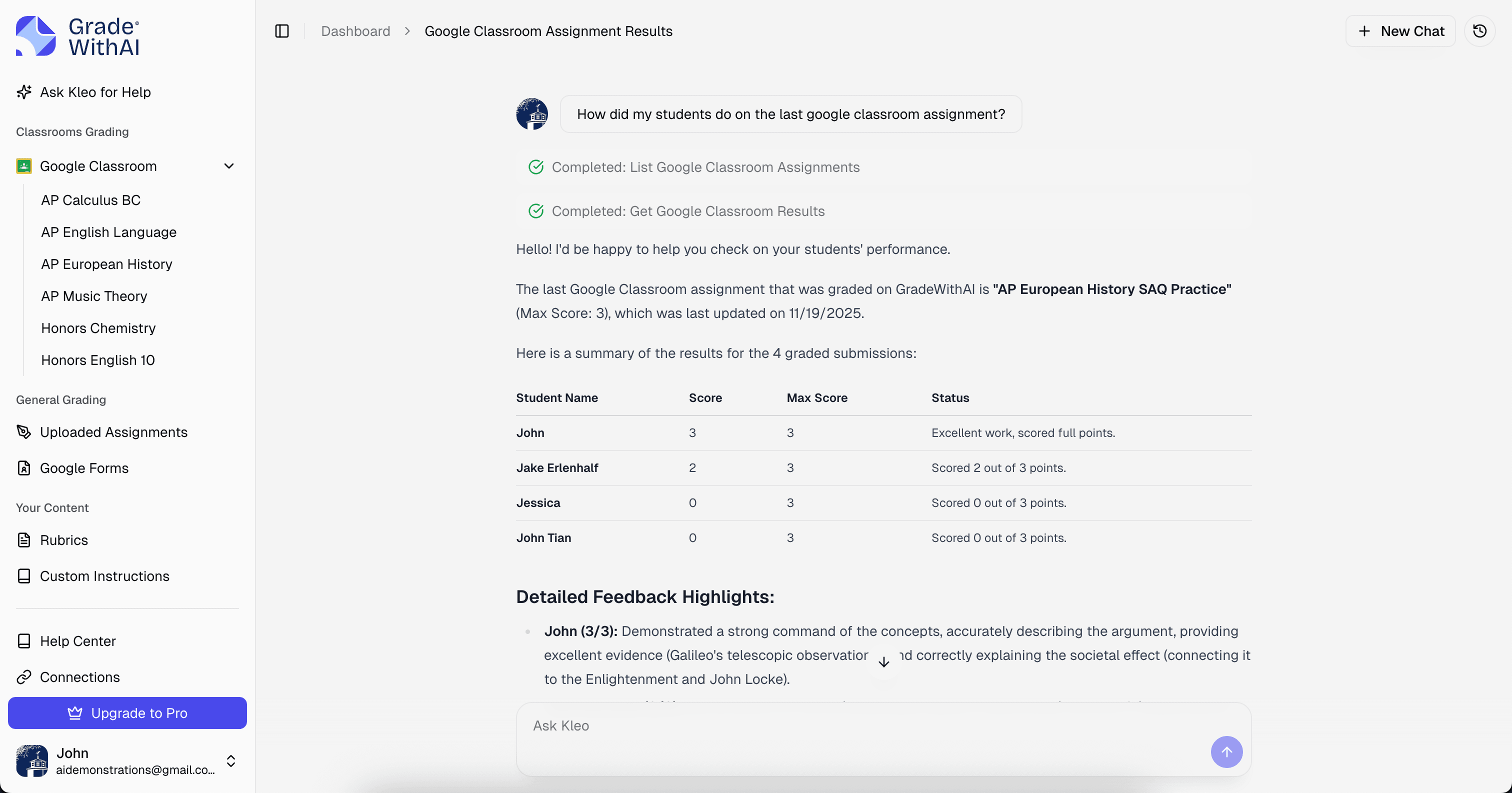
After grading, view class-wide analytics that show average scores, common mistakes, and learning gaps across assignments. Spot patterns that inform your next lesson or intervention.
Ask Kleo to summarize trends or suggest reteaching moves based on class performance.
Connect Google Classroom with confidence using encrypted data handling and district-ready privacy materials.
Data accessed
Only the coursework and submissions needed for grading
Authentication
Official Google OAuth 2.0 with revocable permissions
Encryption
TLS 1.2+ in transit and encrypted storage at rest
Deletion
Removed within 30 days after disconnect or deletion
Trusted by school districts nationwide.
Use the same integration to grade the written responses Google Forms leaves behind and return complete quiz results through Google Classroom.

5-minute setup
Connect Forms-linked assignments and start reviewing responses fast.
Gradebook sync
Return finalized scores to Google Classroom in the same workflow.
Instant feedback
Students get rubric-aligned comments while the quiz is still fresh.
Why it works
Keep your Forms workflow, score open-ended responses with your rubric, and return complete results through Google Classroom.
Grade short-answer and essay responses with your own rubric or answer key.
Push finalized scores back to Google Classroom with one click.
Keep the Forms workflow teachers already use.
No rebuilt quizzes, no manual exports, and no separate workflow just for written responses.
Compare manual grading with a workflow where AI drafts the results and teachers stay in charge.
5 hrs
manual grading
30 essays at 10 minutes each
30 min
AI-assisted review
30 pre-graded essays reviewed in one sitting
4.5 hrs
time saved
per assignment cycle
Manual grading: 30 essays at 10 minutes each = 5 hours. With AI: review 30 pre-graded essays in about 30 minutes. You save 4.5 hours per assignment.
Instead of weekend grading marathons, you can finish a class set during a planning period.
Manual grading shifts as you get tired or distracted. The first and last student can get different treatment for similar work.
Every submission is evaluated against the same rubric and weights, so scoring stays consistent from first paper to last.
Manual grading often starts detailed and ends rushed. Later students may get "Good job" instead of useful next steps.
Every student gets criterion-based feedback with clear strengths and next steps. Quality stays consistent across the full class set.
Manual grading often means students wait 3-7 days or longer. By then, the assignment no longer feels immediate.
Return grades within hours so students can act on feedback while the work is still fresh.
Time Savings
10 hours/week grading to 2 hours/week reviewing AI results
Teacher Testimonial
“I've really enjoyed using the GradeWithAI program. It saves me a ton of time, especially when I have class sizes of 35 or 36 students times five.”

Rebecca Ford
Astrophysics
From essays and lab reports to DBQs, math reasoning, and elementary writing, the integration fits the work teachers already assign.
Grade literary analysis essays, creative writing, and reading responses directly from Google Classroom. AI evaluates thesis strength, evidence, and writing mechanics against your rubric.
Use AI-generated rubrics for new prompts or reuse saved criteria for recurring assignments.
Grade lab reports, experiment summaries, and hypothesis-driven writing with rubrics built for scientific reasoning.
Upload handwritten lab sheets or Google Docs submissions and keep feedback consistent across large classes.
Grade DBQs, primary source analysis, and historical argumentation with AI that recognizes evidence-based reasoning.
Use Google Forms for short-answer checks, then grade open-ended responses with AI before the next test.
Grade word problems, proof-based questions, and math explanations that require written reasoning.
Upload handwritten math from Google Classroom and let AI read the work, identify errors, and apply rubric-based partial credit.
Grade reading responses, short writing prompts, and reflection journals with age-appropriate feedback.
Use simple rubrics focused on effort, understanding, and improvement so comments stay specific and encouraging.
Grade written reflections, short responses, and explanation-based assignments in world language and elective classes through Google Classroom.
Use rubric-based feedback for accuracy, completeness, and written expression without rebuilding your workflow.
Common questions about using GradeWithAI with Google Classroom.
You sign in with your Google account and grant GradeWithAI permission to access your Classroom data. We use official Google APIs to securely sync your classes and assignments. Your login credentials are never stored by us.


